
Global Surveyors Reports allow surveyors to download comprehensive reports for one or more sites and programs in one place. Data is available only for programs where you have current Surveyor access.
Global Surveyor Reports are located on the My Surveys tab. The My Surveys tab is always available to ASHP Lead Surveyors. Practitioner Surveyors can access the tab when they are scheduled for a survey and the survey is within the designated access dates.
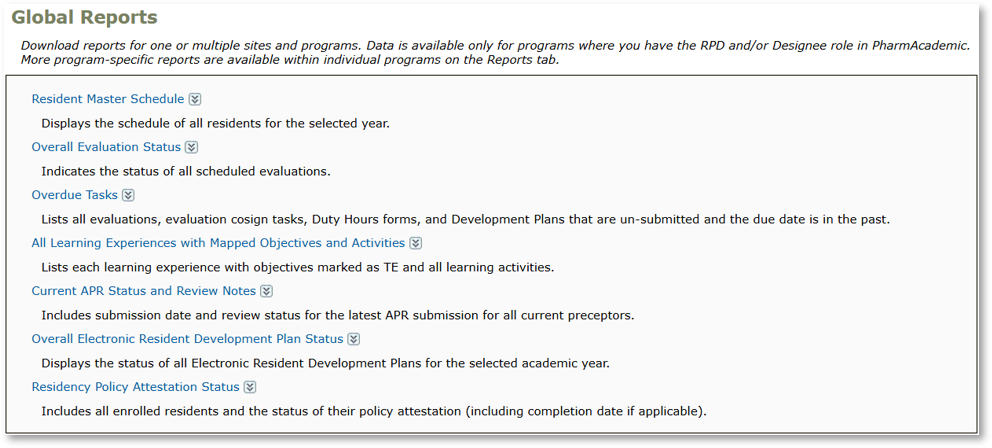
Available Global Reports Include:
- Resident Master Schedule
- Overall Evaluation Status
- Overdue Tasks
- All Learning Experiences with Mapped Objectives and Activities
- Current APR Status and Review Notes
- Overall Electronic Resident Development Plan Status
- Residency Policy Attestation Status
Before You Begin
- Global reports mirror the reports available within individual programs. However, you can filter within the report using the Site and Program columns. See Viewing Residency Program Reports for report descriptions.
- The initial tab provides detailed report information, specifying the sites, programs, and residency year included in the report.
Instructions
- Log in to PharmAcademic and navigate to the My Survey tab on the Home page.
- Select Global Surveyor Reports.
- Click the name of the report that you want to generate.
- Choose which program’s data you want to include in the report.
- Under “Select Site(s)/Program(s): Survey Start Date Within,” select a date range to search for programs. Options include: 7 days, 14 days, 21 days, or 30 days.
- Select the program in the drop-down box. Note: If you select the site, all programs at that site will be included.
- Select Academic Year, if applicable.
- Click the View Report button.
More Resources
Viewing Residency Program Reports